Fast & affordable
Made the example Model: Claude Haiku 5.5
Great quality with low credit use
1 min video2 credits
5 min video3 credits
10 min video6 credits
With 10 free credits, screenshots included:
3 × 1-minute guides
or 1 × 10-minute guide
Upload a walkthrough video. video2docs writes the steps, picks the screenshots and gives you a guide you can edit, export or share. No narration needed.
First 10 seconds of a 1:30 recording, no narration
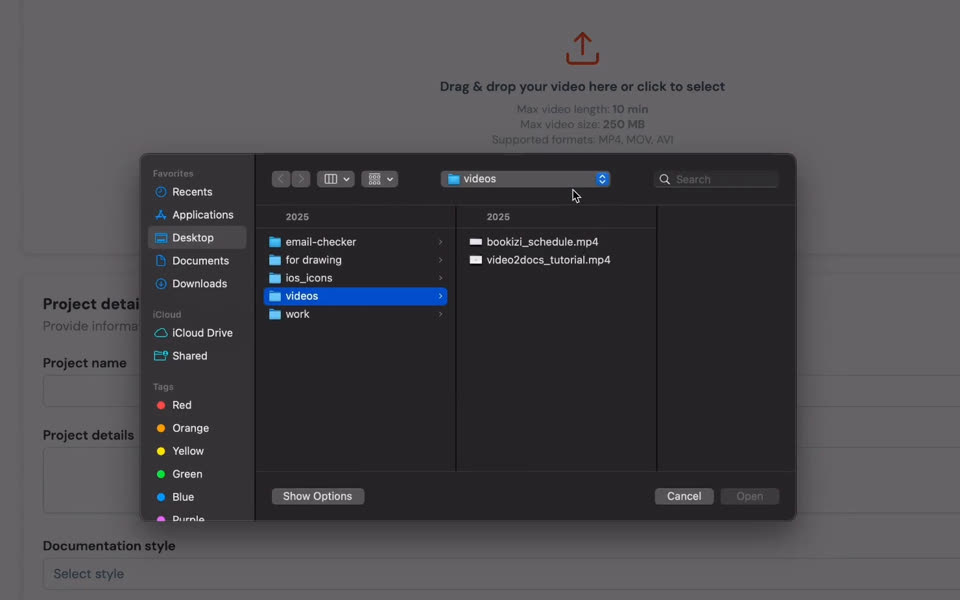
Uploading your video
3 of the 75 steps it wrote, shortened. Read the whole guide
Your engineers ship features. Your PMs ship roadmaps. And then someone - usually the wrong someone - has to stop everything to write the docs.
Pause, screenshot, crop, annotate, retype, format, repeat. A 5-minute feature easily becomes a 4-hour write-up.
Every UI tweak invalidates screenshots. Most internal wikis are months out of date the day they're shipped.
Docs fall to whoever has time, so they get written late, rushed, or not at all.
A 90-second recording of video2docs itself, without narration, and the guide video2docs generated from it. Switch the tabs to compare.
No prompt engineering, no plugins, no editing pipeline to maintain.

Record directly in the browser, or drop in any existing screen recording. No mic, no script required.

video2docs follows the screen changes in your recording, describes each action, and picks a screenshot for every step.

Get a clean Markdown document with structured steps and screenshots. Tweak it, translate it into 35 languages, then export it or share it as a hosted page.
Capture, generate, edit, translate, share - all in one place.

The screen is the main signal. Clicks, navigation, dialogs and screen changes become steps, each with its own screenshot.
Edit the guide in a Markdown editor with live preview. Insert screenshots, upload your own images and add steps the video missed.

Publish any doc as a hosted page and send one link. Readers need no account. Keep it unlisted or let search engines index it, and switch it off any time.

One-click translation into 35 languages, powered by DeepL, so your guides reach users in their own language.

Owner, admin, editor and viewer roles, a shared credit pool, mandatory MFA and per-member usage analytics.

Hosted on EU infrastructure. Source videos are deleted when processing finishes unless you choose to keep them, and your content only goes to the AI and translation services that process it.
From product launches to internal SOPs - record once, ship everywhere.
Walk a new user through your product in a screen recording. Get a polished step-by-step tutorial with screenshots - ready to publish.
Demo a new feature, get a structured release note with screenshots you can drop straight into your blog or in-app changelog.
Capture how your team actually does things. Turn one-off screen recordings into step-by-step SOPs anyone can follow.
Record a customer support flow, get a publish-ready help center article. Translate it into your customers' languages with one click.
Feedback from product builders, IT pros and creators who use video2docs.
I tested this tool out and was genuinely blown away by how powerful it is. I've done a month's worth of documentation work in the space of a single afternoon. It has saved me a massive amount of time and effort. Incredibly accurate and powerful!
I needed something to build IT documentation faster, and this product does exactly that. It's like the Windows Steps Recorder on steroids. Compared to the in-depth transcribing this model can do, alternatives like Scribe need to seriously step up their game. Excellent work, kicking myself for not thinking of this idea.
As someone who creates lead magnets and guides, I see video2docs helping me a lot. The markdown quick-start it gave me was spot on - especially the fact that screenshots are automatically available for each stage. I can really see this fitting perfectly into my workflow. Love it!
Solo? Pay only for what you generate. Building with a team? Get a workspace with shared credits, roles, and MFA.
Start for just $7. Credit packs, no subscription. Credits never expire.
Limited-time launch offer: $79/month (save $20/month)
One subscription for the whole team. Early access pricing for initial teams.
Three of the models you can pick, and what your free credits cover with each. The price is shown before you start.
Model: Claude Haiku 5.5
Great quality with low credit use
With 10 free credits, screenshots included:
3 × 1-minute guides
or 1 × 10-minute guide
Model: Gemini 3.8 Flash
Quick results at a low price
With 10 free credits, screenshots included:
3 × 1-minute guides
or 1 × 5-minute + 1 × 1-minute guide
Model: Claude Sonnet 5.5
Best balance of quality and cost
With 10 free credits, screenshots included:
2 × 1-minute guides
or 1 × 3-minute guide
Prices per video without screenshots. Screenshots add 1 credit per video, so the 90-second example above cost 2 + 1 = 3 credits with Claude Haiku 5.5.
We build custom documentation software on the same engine: your workflows, integrations, branding and deployment. Priced per project after a scoping call.
It does the slowest parts of documentation for you: capturing screenshots, describing each step and structuring the result. A 5-minute recording usually becomes a structured guide in 2 to 4 minutes.
Yes. The screen is the main signal; narration helps but is never required. The example on this page has no narration.
Structured Markdown with numbered steps, embedded screenshots and short descriptions. Edit it in the browser, translate it into 35 languages, and export it as Markdown, HTML or PDF, or share it as a hosted page.
MP4, MOV, AVI or WebM, up to 10 minutes and 250 MB. You can also record your screen in the browser, with no extension or install.
No. Every account starts with 10 free credits and a finished example project, so you can see a result before you upload anything.
Pay-as-you-go credit packs: Starter $7, Basic $12, Pro $20 and Plus $35. Credits never expire. The cost of a guide depends on the video length and the model you choose, plus 1 credit when screenshots are included, and it is shown before you start.
The Team plan is $79/month during early access (regular price $99/month). It includes up to 20 seats, 100 credits per month renewed every cycle, four roles (owner, admin, editor, viewer), mandatory MFA and per-member usage analytics. Need more credits? Top up the workspace any time with Growth, Ultra or Scale packs; those credits never expire.
Personal accounts use individual credits that never expire. Team workspaces have a shared credit pool, role-based permissions, mandatory MFA and per-member analytics. You can switch workspaces at any time, and the same email can own a personal account and belong to several teams.
Videos and documents are encrypted in transit and at rest, on EU infrastructure. Source videos are deleted as soon as processing finishes, unless you choose to keep them.
To write your guide, video frames are sent to the AI model you pick through OpenRouter, narration audio is transcribed by OpenAI, and translations are done by DeepL. We don't sell your content or share it with anyone else.
Eight models in five groups: Recommended (Claude Sonnet 5.5), Best value (Gemini 3.8 Flash), Fast & affordable (Claude Haiku 5.5, GPT-6 Luna), Advanced (Gemini 3.1 Pro, GPT-5.4, GPT-6 Sol) and Maximum quality (Claude Opus 5, which uses significantly more credits). You pick one per project.
Purchased credits never expire, so credit packs aren't refunded; use your 10 free credits to check the quality first. If a video fails to process, its credits are returned automatically. Team plan subscriptions can be cancelled at the end of the current billing cycle.
Yes. Every completed project can be published as a hosted page with its own link, and readers don't need an account. Choose unlisted (only people with the link, hidden from search engines) or public (search engines can index it). Translations are available on the same page, and you can switch sharing off at any time.
Join the 1,200+ people who have signed up. Your account starts with a finished example.